| ||||||||||
Vitalnet Health Statistics - OutputThe goal of Vitalnet is to provide customers the best output, with the least effort required. This page gives an overview of Vitalnet output capabilities. Each example took only a few minutes to design and produce using Vitalnet.
Advantages of Vitalnet output types include:
Links to other resources:
Vitalnet Tables Tables are the core strength of Vitalnet. Vitalnet tables quickly produce needed numbers. Other Vitalnet display formats - maps, bar charts, line charts, pie charts - are derived from the data shown in Vitalnet tables. Vitalnet table examples, using Texas ICD-9 death data
Vitalnet Maps
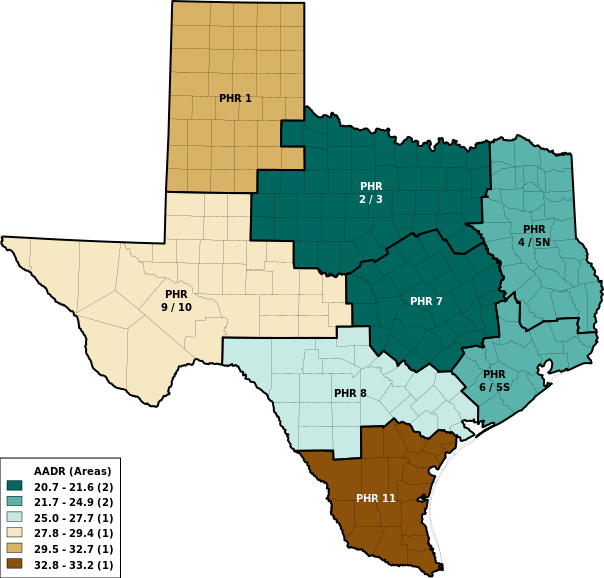
Vitalnet maps are attractive and clearly documented. The maps use research-based color palettes. Cell suppression on maps provides easier interpretation. Time trend maps automatically cycle through map series. Vitalnet map examples, using Texas pregnancy data
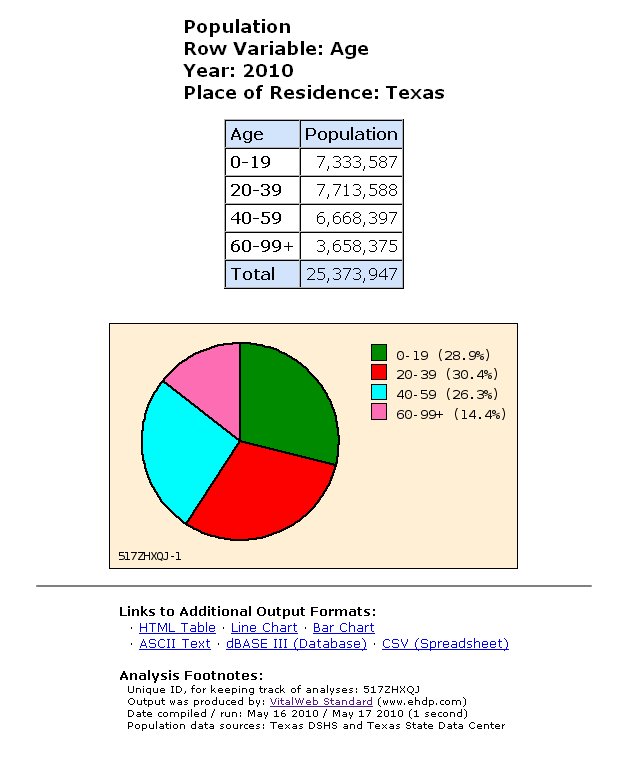
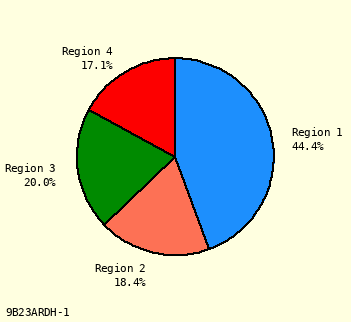
Vitalnet Pie Charts
Vitalnet pie charts are automatically displayed. Vitalnet pie charts are attractive and easy to interpret. If the chart is subject to misinterpretation (for example, pie chart rates), or looks bad (for example, too many slices), it is not made. Vitalnet pie chart examples, using California ICD-10 death data
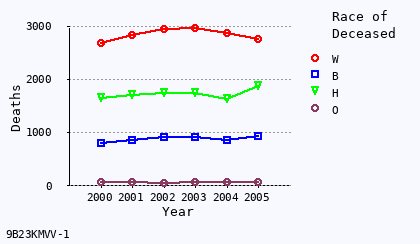
Vitalnet Line Charts
Vitalnet line charts are automatically displayed. Vitalnet line charts are attractive and easy to interpret. If the chart will be invalid (for example, categorical data), or look bad (for example, too many lines), it is not made. Vitalnet line chart examples, using California ICD-9 death data
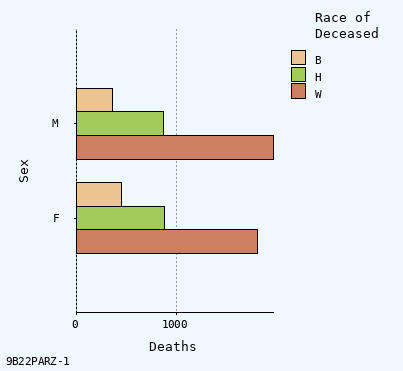
Vitalnet Bar Charts
Vitalnet bar charts are automatically displayed. The bar charts are attractive and easy to interpret. If the chart will look bad (for example, too many bars), it is not made. Vitalnet bar chart examples, using Texas birth data
Links to recent California VitalWeb output:
Links to recent Texas VitalWeb output:
© 2008 EHDP - 888-709-5319 · Privacy Policy / Legal
This page last updated: December 11, 2007 |
||||||||||
|
||||||||||