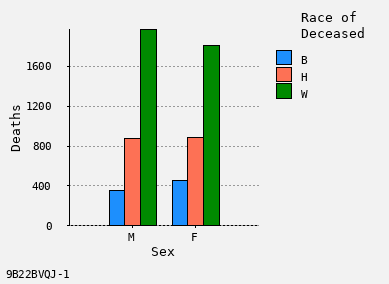
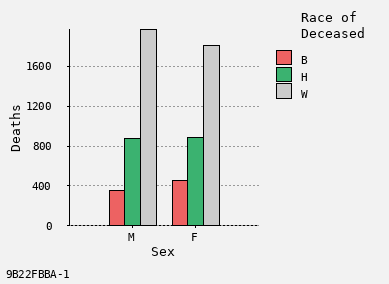
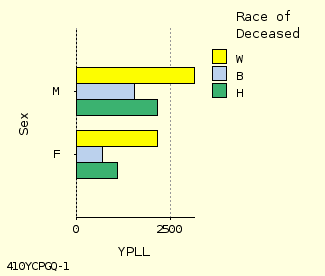
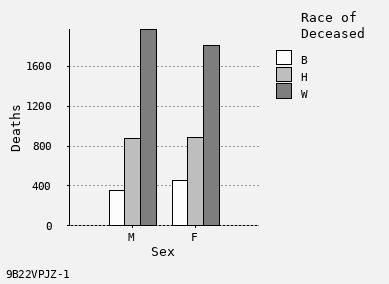
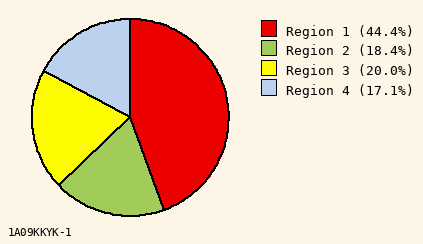
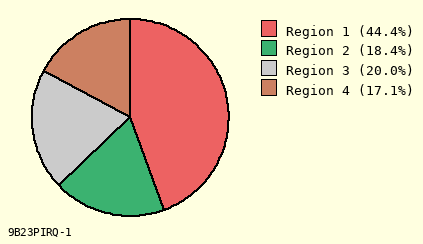
Texas ICD-10 Underlying Cause Deaths
VitalWeb Wizard
Online Help
Table of Contents
Introduction
Wizard Starts in Step-by-Step Mode
Wizard also Runs in Jump-to-Step Mode
Table Settings
Main Statistic
Table Axes (Rows and Columns)
Statistic / Axis Conflicts
Data Variables
Categorical Variables
Range Variables
Statistic / Variable Conflicts
Other Settings
Graphic Settings
Pie Chart Settings
Line Chart Settings
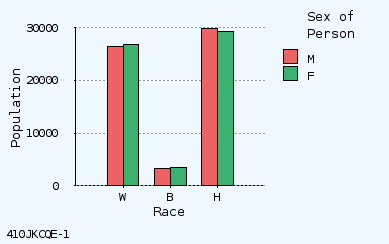
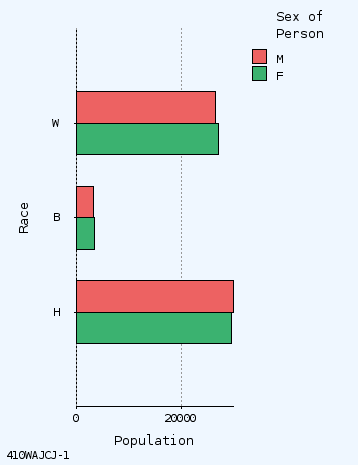
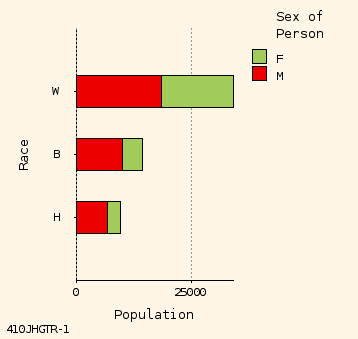
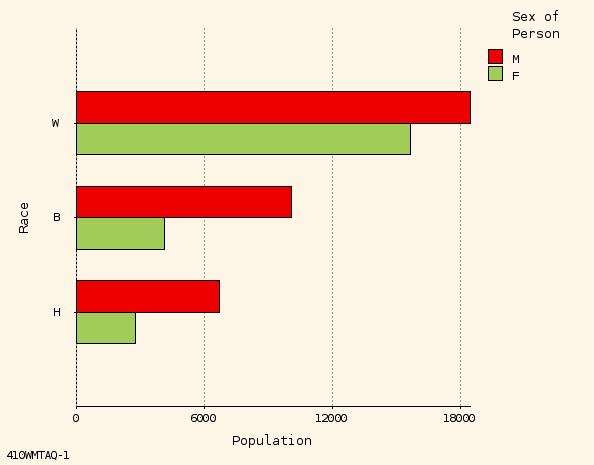
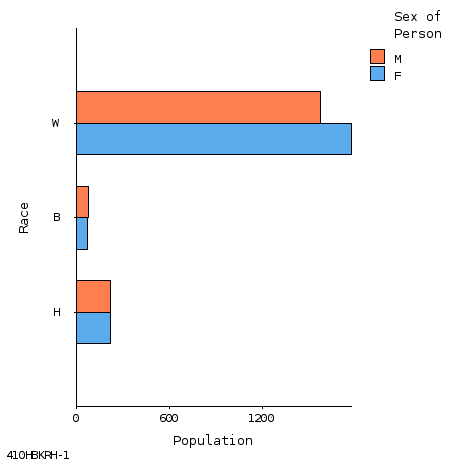
Bar Chart Settings
Tabular Charts / Chart Links
Map Settings
Map Color Palettes
Producing and Using Results
Getting Results
Viewing Results
Printing Results
Saving Results
Other Information
Glossary
County Groupings
95% Poisson Confidence Limits
Age Adjustment Standards
Statistical Methods
Confidence Intervals
Data Sources and Limitations
Links to Related Resources
Whom to Contact
Legal Information
Wizard Starts in Step-by-Step Mode
Instructions for Using Step-by-Step Mode:
Make selections
- At each step, make selections.
Go to next step
- Click "Next Step" for next step.
Make output
- At last step, produce output table (or map).
Return to wizard
- Click browser "Back Button" to return from output.
Revise selections
- Click "Restart" to start again at first step.
To go back one step, click "Previous Step" button (not browser "Back Button").
Wizard also Runs in Jump-to-Step Mode
Instructions for Using Jump-to-Step Mode:
Jump to step
- Click on step names from top or selections at right side of interface.
Make selections
- Make selections on steps. Each step is unique.
Make output
- When satisfied with selections, click "Make Table" or "Make Map".
Revise selections
- After viewing output, click browser "Back Button" to return to program.
Maybe switch
- You may switch back to Step-by-Step mode at any time.
Overall Question
Overall Question
- Based on one or more BRFSS variables.
Main Statistic
Main Statistic
- The basic numerical result in the output.
Main statistics include:
Deaths · Death Rate · Age-Adjusted Death Rate · Mean Age of Death · Standardized Mortality Ratio · Years of Potential Life Lost · Years of Life Lost Rate
Selecting
- Click on desired setting, such as Deaths.
Deaths
Death Rate
Age-Adjusted Death Rate
Example Statistic Selector
Table Axes (Rows and Columns)
Rows
- Are horizontal lines of data, such as the row for 1991.
Row Sort
- Rows can be sorted, low to high, or high to low.
Columns
- Go up and down, such as the column for age 0-19.
Multi-Tables
- Also called "By Variable". Make a series of tables.
Selecting
- Click on desired setting, such as "Age" or "Year".
Age
Cause of Death
Geographic Area
Race
Sex
Year
Example Row, Column, or Multi-Table Selector
Statistic / Axis Conflicts
If a conflict
between Main Statistic and Axis Variable:
Vitalnet alerts you of the conflict (mismatch).
Vitalnet prevents contradictory choices.
Examples of conflicting settings:
Age-adjusted rates -- age rows.
Race rows -- race columns.
Year rows -- year columns.
Selecting Data Variables
Data variables include
- age, race, sex, year, cause of death, county of residence.
Selecting
- Click on one or more values.
Under 1
1-4
5-14
15-24
25-34
35-44
45-54
55-64
65-74
75+
Example Data Variable Selector (for Age)
Selecting Data Variable Groupings
Certain data variables allow different "groupings".
For example, 5-year or 10-year age groups.
To change the grouping in actual interface:
Click on desired grouping
.
Click on "Select" button
.
5-Year Age Groups
20-Year Age Groups
10-Year Age Groups, Lowest 0-9
10-Year Age Groups, Lowest 0-4
Example Data Grouping Selection
Statistic / Variable Conflicts
Sometimes, a conflict exists between a variable and a population-based rate. Vitalnet automatically prevents this from producing misleading output.
This is best shown with an example: Suppose there are 408,000 births, and the population is 12,000,000 females. The birth rate is 34 births per 1,000 females (408,000 / 12,000,000). Now, suppose we limit the analysis to women with 12 years education, with 108,000 births to such women. The result would seem to be 9 births per 1,000 such women (108,000/ 12,000,000). But of course this is totally wrong, because the denominator is not adjusted.
To resolve this problem, when Vitalnet makes a rate calculation, it automatically adds all categories to demographic variables that are not included in the population data set.
Other Settings
Other Settings include the following options:
Statistic Modifiers:
Age-Adjust Standard
- Select age-adjustment standard
SMR Standard
- Set standard for calculating SMR
YPLL Age Limit
- Set premature mortality cutoff
Secondary Statistics:
Cell Confidence Level
- Set confidence level, such as 95%
Cell Suppression
- Hide results with low counts
Table Percents
- Include row or column percents
Trend Confidence Level
- Set confidence level, such as 95%
Optional Detail Settings:
Decimal Place Digits
- Set decimal places, such as 2 for 5.99
HTML Output Font
- Set font for HTML output
Spreadsheet Format
- Set format for importing into spreadsheet
Tabular Chart
- Set tabular chart width, or omit chart
Unique ID
- Include unique ID on maps and charts
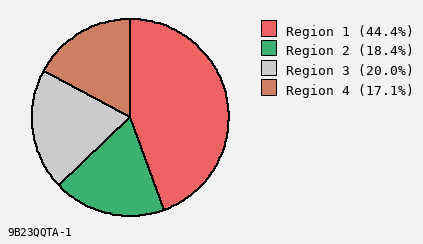
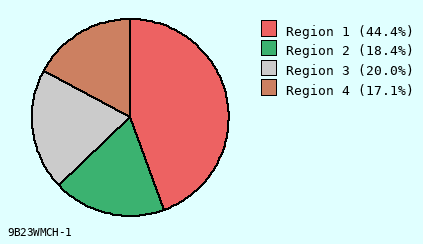
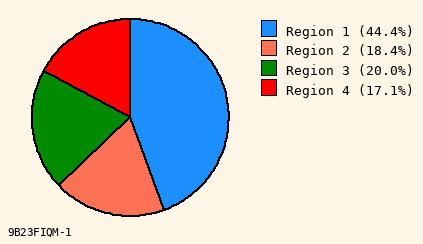
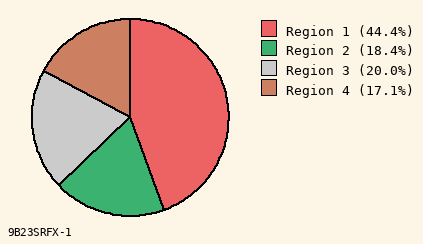
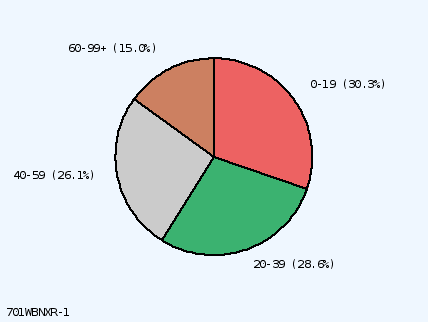
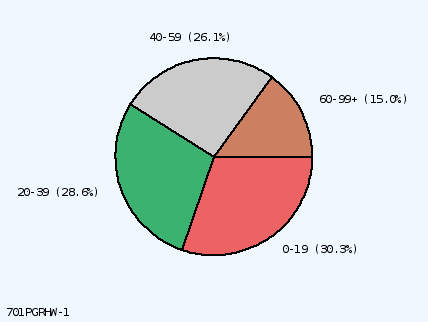
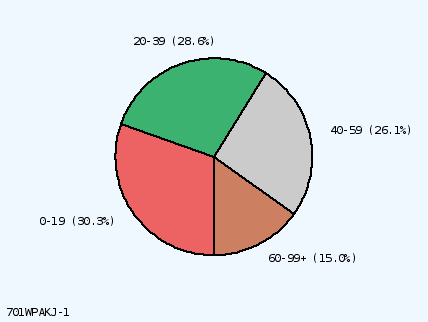
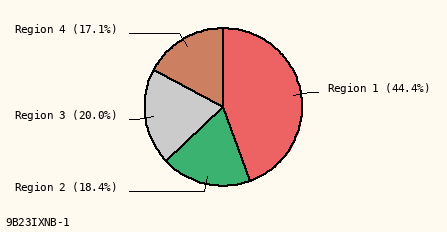
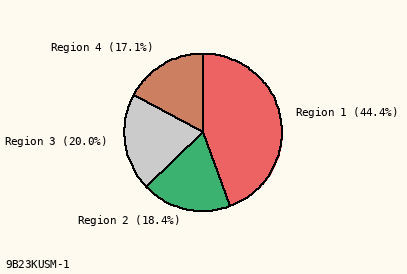
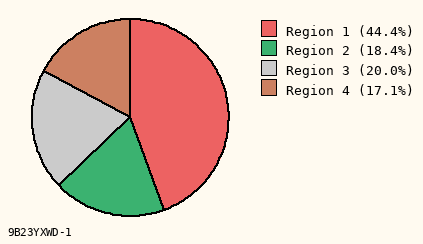
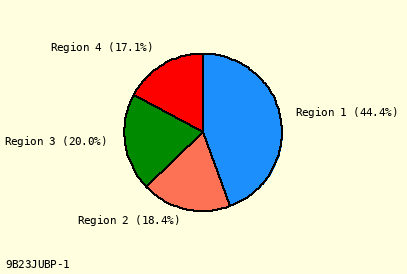
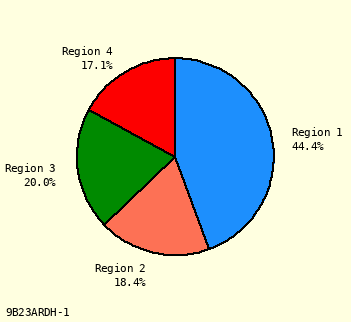
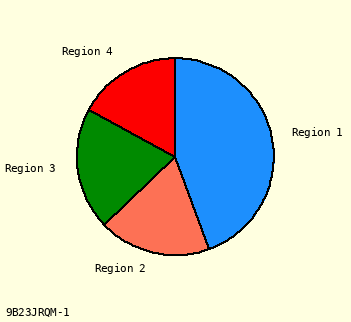
Pie Chart Settings
Using pie charts
:
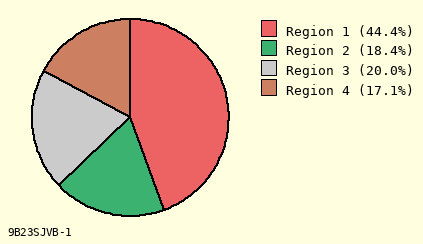
Shows parts of a whole.
Can be difficult to prevent label overlap.
Not good for giving detailed information.
Not good for showing trends.
Gives quick overall comparison of a few items.
Ways to customize
Vitalnet pie charts:
Background
- Background color for chart.
Colors
- Colors to use for pie chart slices.
First Color
- Color to use for first slice.
First Slice
- Clock position for first slice.
Label Mode
- How to label pie chart slices.
Percents
- How to display pie chart percents.
Radius
- Radius of pie chart (cm).
Text Size
- Font size for chart text (points).
Pie charts are only made if the following conditions are met:
Cumulative data (counts, some rates).
One set of numbers (one row or column).
2 to 9 pie slices. No suppressed results.
Line Chart Settings
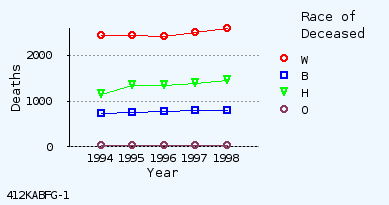
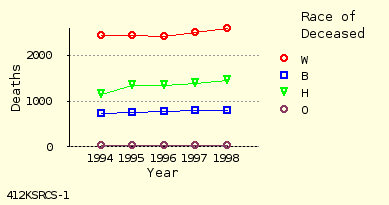
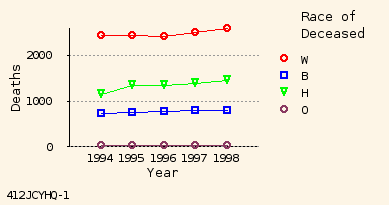
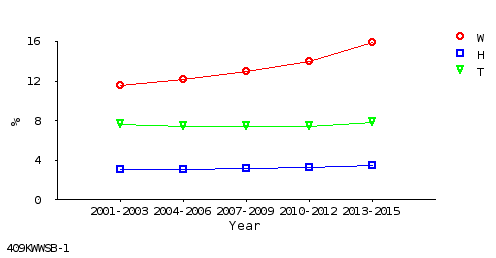
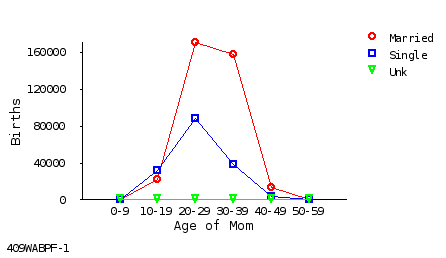
Line charts show movement or change
.
Ways to customize
Vitalnet line charts:
Background
- Background color for chart.
Grid Lines
- Grid lines on line chart.
Height
- Line chart height (cm).
Line Colors
- Colors to use for lines.
Line Width
- Width to use for lines.
Symbol Size
- Symbol radius (mm) (if symbols used).
Symbols
- Symbols at line chart data points.
Text Size
- Font size for line chart text (points).
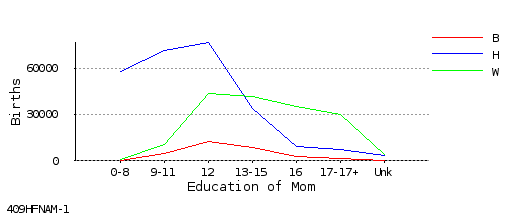
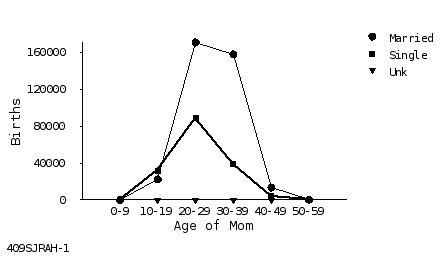
Note: Black and white lines are rendered as dot and dash patterns.
Line charts are only made if the following conditions are met:
Range rows (such as age or year).
Ranges are continuous (not 2000, 2002).
Rows not sorted. No suppressed results.
No more than 10 lines (10 columns).
Bar Chart Settings
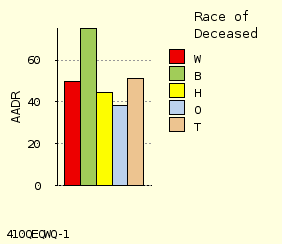
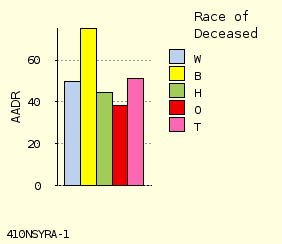
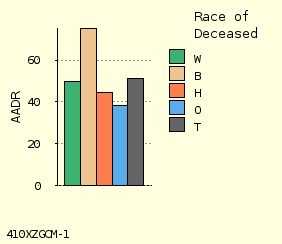
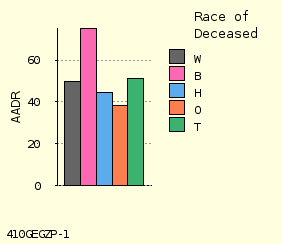
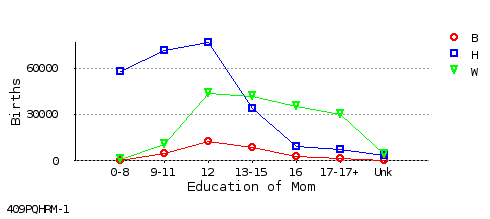
Bar charts compare amounts of different things
.
Ways to customize
Vitalnet bar charts:
Background
- Background color for bar chart.
Bar Colors
- Color palette to use for bars.
Bar Height
- Height of tallest bar (cm).
Bar Width
- Width of each bar (cm).
First Color
- Color to use for first bar.
Grid Lines
- Dashed grid lines on bar chart.
Orientation
- Horizontal or vertical bar chart.
Text Size
- Font size for bar chart text (points).
Note: Black and white chart uses hatch and gray-scale patterns.
Bar charts are only made if the following conditions are met:
1 to 20 rows (groups of bars).
1 to 10 columns (bars per group).
No suppressed results (for stacked bar chart).
Tabular Charts / Chart Links
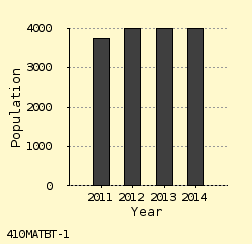
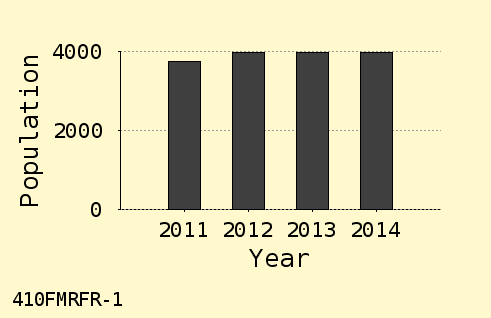
A "tabular chart"
is a convenient way of making comparisons.
The tabular chart is always made, unless turned off from the "Other Settings" menu. Also, you may specify the width of the columns within the chart.
Chart links:
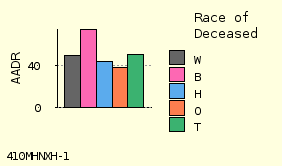
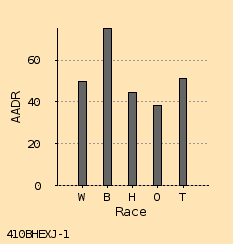
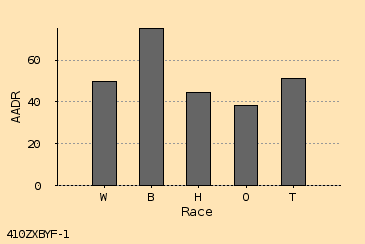
Note the links below the tabular chart. The links connect to additional graphical and data output formats. The example above links to bar chart, text, database, and spreadsheet formats.
Map Settings
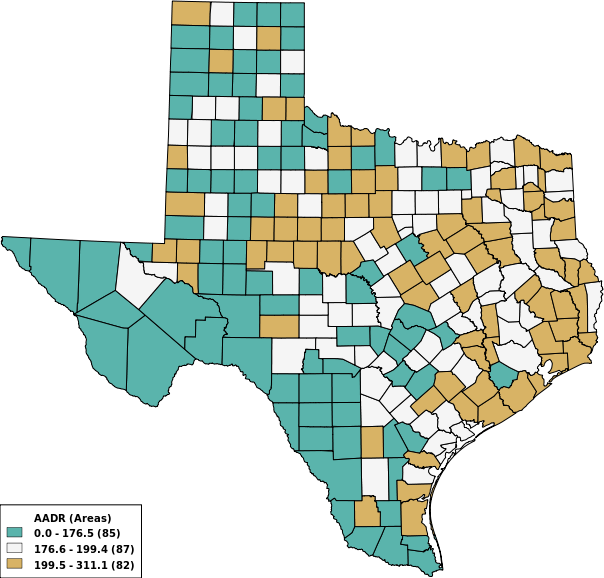
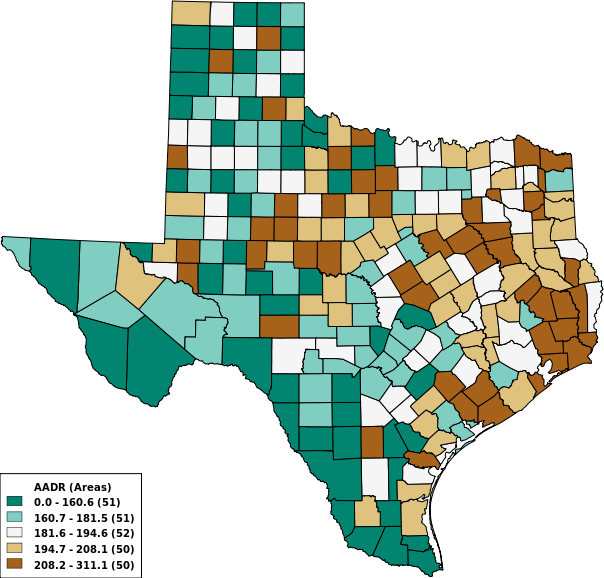
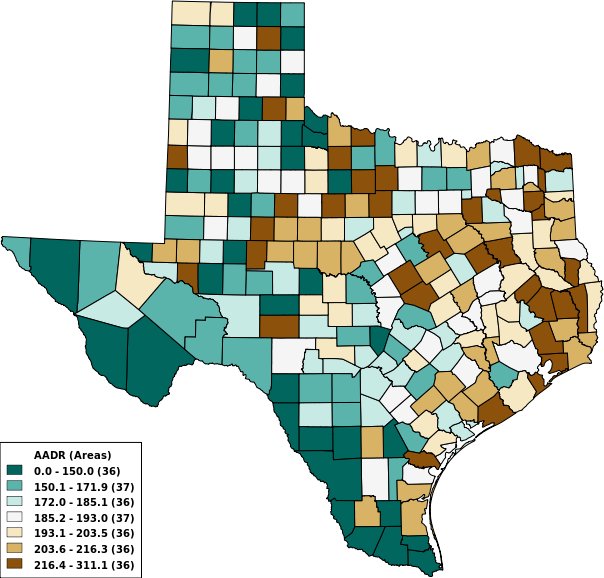
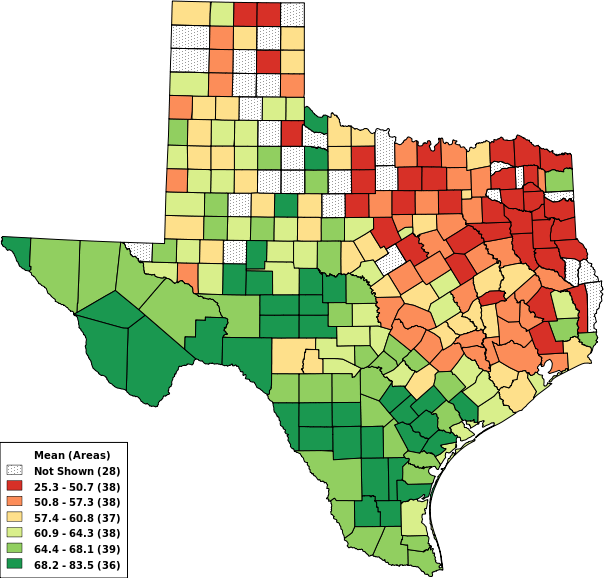
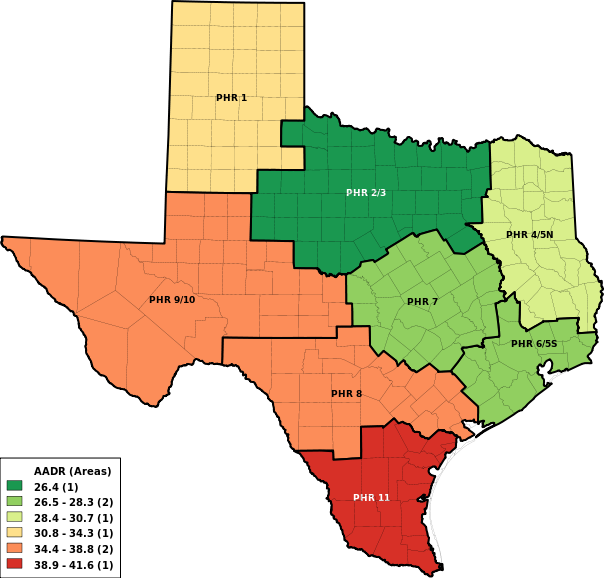
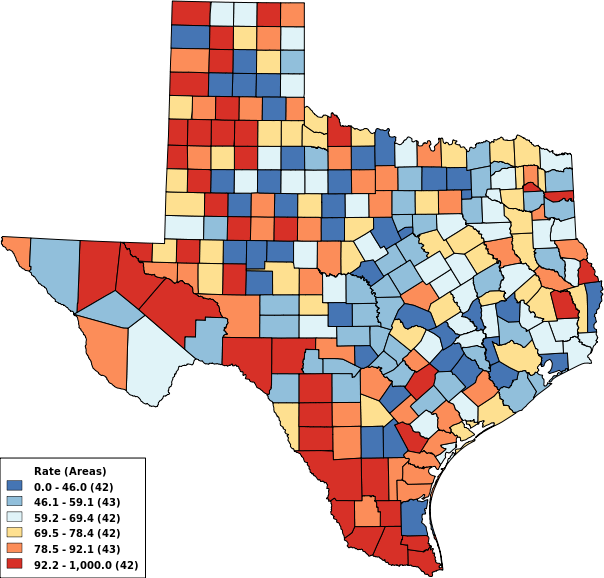
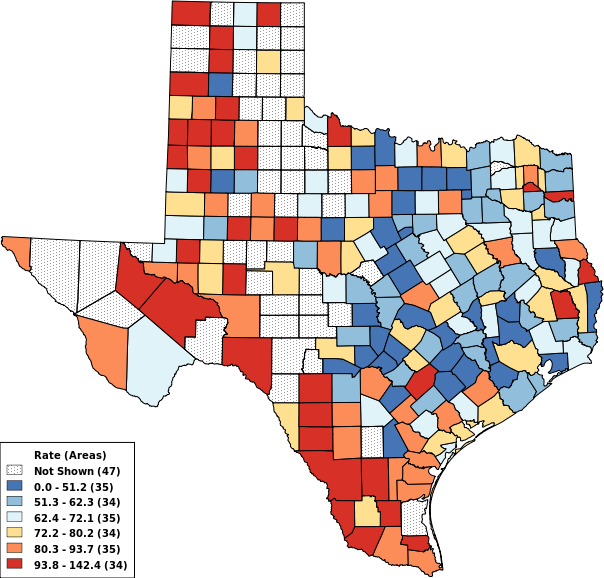
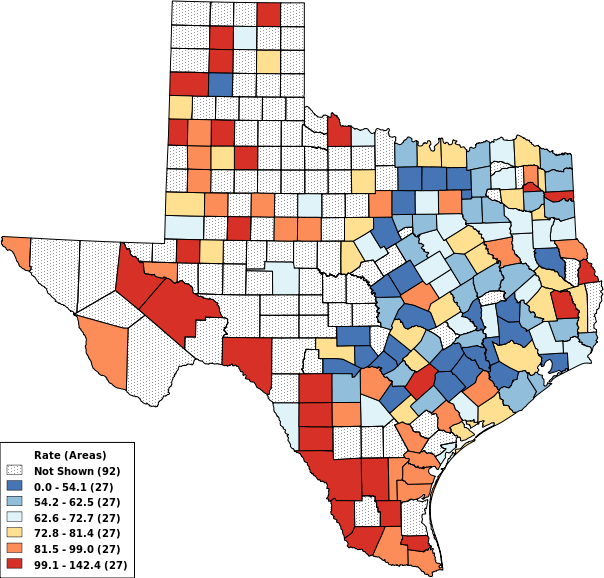
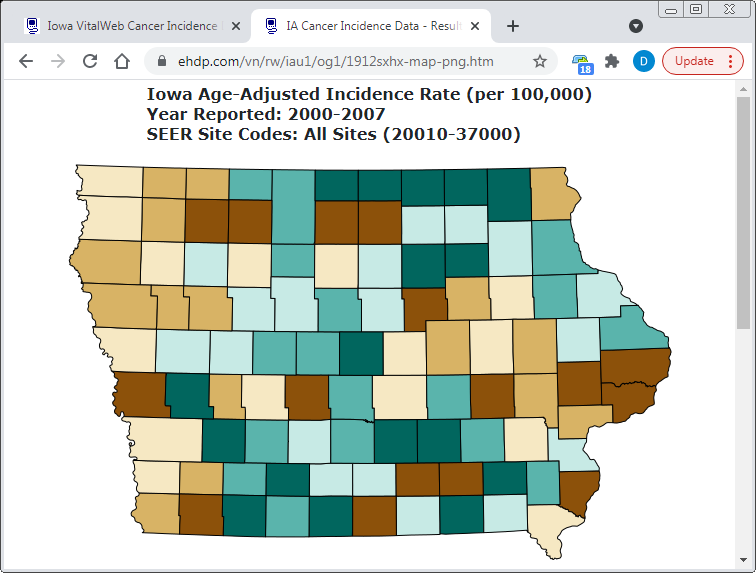
Maps display results geographically, in PNG and PDF formats.
Ways to customize
Vitalnet maps:
Area Labels
- Automatically apply labels to areas
Color Count
- Number of colors (ranges) for map
Color Palette
- Color combination for map
Line Width
- Line width for boundaries
Range Type
- Divide ranges by equal widths or counts
Time Trend
- Map for each year range (if multiple equal ranges)
Time trend maps
require:
At least 2 year ranges
All year ranges same width
- Not 1995-1996, 1997-1998, 1999
Map Color Palettes
1
2
3
4
5
6
7
8
9
Diverging Palette
BW
CB
Brown-BlueGreen
-
Y
Pink-Green
-
Y
Purple-Green
-
Y
Purple-Orange
Y
Y
Red-Blue
-
Y
Red-Grey
-
-
Red-Yellow-Blue
-
Y
Red-Yellow-Green
-
-
Spectral
Y
-
1
2
3
4
5
6
7
8
9
Sequential Palette
BW
CB
Blue
Y
Y
Blue-Green
Y
Y
Blue-Purple
Y
Y
Green-Blue
Y
Y
Green
Y
Y
Grey
Y
Y
Orange
Y
Y
Orange-Red
Y
Y
Purple-Blue
Y
Y
Purple-Blue-Green
Y
Y
Purple-Red
Y
Y
Purple
Y
Y
Red-Purple
Y
Y
Red
Y
Y
Yellow-Green
Y
Y
Yellow-Green-Blue
Y
Y
Yellow-Orange-Brown
Y
Y
Yellow-Orange-Red
Y
Y
Notes: BW column indicates if palette will withstand black and white photocopying. CB column indicates if palette will not confuse people with red-green color blindness. All palettes are suitable for desktop color printing.
References and research
used to help design Vitalnet palettes:
LW Pickle, M Mungiole, GK Jones, AA White,
"Atlas of United States Mortality"
, National Center for Health Statistics, 1997.
CA Brewer,
"Color Use Guidelines for Mapping and Visualization"
, in "Visualization in Modern Cartography", Elsevier, 1994.
ColorBrewer
web site displays tested color palettes.
Getting Results
To produce results:
Basic Wizard
- At last step, click on "Make Map" or "Make Table".
Advanced Wizard
- Click on "Make Map" or "Make Table".
The program will send the query to the server.
Your results should return in seconds.
Viewing Results
To view results:
Scroll through the results
- Use scroll bar, PgUp, PgDn, etc.
Print
or
Save
results
- Sends to printer or disk.
Point to a map area
- Displays the name of the area.
Click on footnote links
- Displays or downloads charts and data files.
To return to the program, click on browser "Back" button.
If graphics do not display in the output, try refreshing the browser.
Printing Results
To print results
from your browser, do one of the following:
Press CTL-P
- Hold down Control key, and press 'P' key.
Use Browser Icon
- Click on Print Icon (if available).
Use Browser Menu
- Select "File / Print" (if menu available).
If too wide or long
:
Use fewer rows or columns.
Also makes table easier to understand.
Change font size.
Typical command is: View / Text Size.
Spreadsheet or word processor printing
:
Click on link
in output footnotes.
Download and import file
.
-
CSV, TSV, or DIF for spreadsheet
, such as Excel or StarOffice.
-
ASCII for word processor
, such as Word or WordPerfect.
Format and print
from within spreadsheet or word processor.
Saving Results
To save results
displayed in a browser, do one of the following:
Press CTL-S
- Hold down Control key, and press 'S' key.
Use Browser Menu
- Select "File / Save" (or equivalent).
To save alternate data format
, click on footnote links:
ASCII text
- For importing into word processing software.
CSV/TSV/DIF format
- For importing into spreadsheet software.
dBASE III
- For database, GIS, mapping, statistical software.
To save a map as an image file,
minus surrounding text:
Position the cursor
over the map, using mouse.
Press the right mouse
button to bring up a popup menu.
Select the "Save" option
from the popup menu.
Specify the directory (folder)
to save the file.
Suggestions on naming files:
Memorable
- Select a name that will remind you of the content.
Organized
- Organize files into project directories (folders).
Linkable
- Use the unique ID for data files, such as "112jdhkm.dbf".
Glossary
Age-adjusted death rate
- Deaths per 100,000 population, adjusted to a standard population (such as US 1940 or US 2000), by the direct method. Age-adjusted rates are often better for making comparisons than unadjusted rates, because they adjust for differences in age distribution between populations. An age-adjusted rate is a summary measure. Besides calculating overall age-adjusted rates, it is also recommended to compare age-specific rates.
Age-adjustment standard
- A standard population for calculating an age-adjusted death rate. The 1940 and 2000 US Census population are the most common standards.
Apgar score
- A summary measure of the condition of the infant based on heart rate, respiratory effort, muscle tone, reflex irritability, and color. Each factor is given a score of 0, 1, or 2; the sum of these five values is the Apgar score, ranging from 0 to 10.
Area set
- One or more areas combined.
ASCII file
- A text file, with only alphabetical, numerical, and punctuation characters, like you would see in normal text. Vitalnet can produce output in ASCII format.
Tabular chart
- A section of a Vitalnet table. Gives an scaleable graphical representation of the data. May be omitted from the output table.
Birth rate
- Births per 1,000 female or total population.
Birth weight
- The weight of an infant at delivery, expressed in grams.
Cause of death
- Any condition which leads to or contributes to death and is classifiable according to the International Classification of Diseases (ICD) system.
CDC
- Centers for Disease Control and Prevention. US federal health agency.
Cell
- A space for a single numerical result in a table, at a row-column intersection.
Cell suppression
- An asterisk "*" is placed in cells with fewer deaths than a limit set by the user. Row / column totals with exactly one suppressed cell in the row / column are also suppressed. If more than one cell in the row / column is suppressed, the row / column total is displayed.
Cesarean rate
- Number of cesareans / number of births.
Cesarean rate - primary
- FC / (FC + FV). Numerator is number of first-time cesarean deliveries (FC). Denominator is number of first-time cesarean deliveries (FC) plus number of first-time vaginal deliveries (FV).
Cesarean rate - repeat
- RC / (RC + VA). Numerator is number of repeat cesarean deliveries (RC). Denominator is number of repeat cesarean deliveries (RC) plus number of vaginal deliveries after previous cesarean (VA).
CNM
- Certified Nurse Midwife (birth attendant category)
Columns
- Vertical groupings of data in a Vitalnet table, such as a column for each race group.
Confidence interval (confidence limits)
- A range of values within which the true value of a variable is thought to lie, with a specified level of confidence. For a result of 23.5, a confidence interval might be (23.1-23.9). The smaller the interval, the more reliable the result. If the 95% confidence intervals do not overlap, there is probably a statistically significant difference. Vitalnet uses several methods to calculate confidence intervals. The output table documents which method was used.
Confidence level
- The likelihood that the true value of a variable is within a confidence interval. For example, for confidence intervals at the 95% level, we are statistically 95% certain that the actual value of the variable is within the interval.
CSV format
- Comma-separated-value format. CSV files are readily imported into spreadsheet software. Each output item is separated by a comma from surrounding items, and each output text item is surrounded by "double quotes". A comma-separated-value file has "csv" extension. Similar to TSV format.
Cursor key
- Arrow key, PgDn, or PgUp key. Used to navigate a web page or computer program.
Data mining
- Finding unexpected relationships in a data set. Similar to exploratory data analysis. Vitalnet is excellent at data mining. Of course, keep in mind that the more you look, the more unusual events you will find, just by chance.
Data warehouse
- Software system, such as Vitalnet, making large complex databases readily available for querying and analysis.
dBASE III format
- A widely used file format derived from the database software of the same name. Files in this format may be readily imported into almost any data analysis, graphing, mapping, or other presentation software. Has dbf extension. Suppressed cells are represented as the number "-1".
Death rate
- Deaths per 100,000 population. May be used to compare the burden of disease between different groups. Also called crude death rate.
DIF format
- Data interchange format. DIF files are readily imported into spreadsheet software. The DIF format is too complex to explain in this glossary. Has "dif" extension.
DO
- Doctor of Osteopathy (birth attendant category)
Denominator
- The number on the bottom of a fraction. Population data are often referred to as "denominator data", as they are used as denominators to calculate population-based rates.
ENTER key
- A key on your keyboard. Sometimes called RETURN key. Often used to select an item or complete an operation.
ESCAPE key
- A key on your keyboard, often on the upper left. Tells Vitalnet to return to a higher-level (previous) menu. Pressing 'Z' usually does the same thing.
Export
- Produce output that can be read into other computer programs. Vitalnet produces ASCII text (txt), comma-separated-value (csv), HTML (htm), and dBASE III (dbf) files for export.
Fetal death
- A fetus showing no evidence of life after a complete birth.
Fetus
- Term applied to the unborn offspring from the date of conception until the completion of pregnancy.
Filter variable
- A variable solely used to filter which records are included in the output. For example, for a single table with race rows and sex columns, age is a filter variable.
Footer
- Last part of a Vitalnet table. Lists required but less important details of the analysis, such as the date and time produced, and data sources. The footer contains a unique ID to assist in keeping track of analyses.
General fertility rate
- Total live births (to all women) per 1,000 women age 15-44 in a given year.
Gestational age
- Number of completed weeks elapsed between the first day of the last normal menstrual period and the date of delivery. Gestational age is expressed in completed weeks.
Gestational age
- Number of completed weeks elapsed between the first day of the last normal menstrual period and the pregnancy outcome. Gestational age is expressed in completed weeks.
General fertility rate
- Live births per 1,000 women age 15-44 in a given year.
Header
- First part of a Vitalnet table. Lists key analysis parameters, such as years analyzed.
Hepatitis case rate
- Number of cases per 100,000 people at risk. For example, if Smith County has 40 cases, and 200,000 people, the hepatitis case rate is 20 per 100,000.
Hepatitis death rate
- Number of deaths per 100,000 people at risk. For example, if Smith County has 4 deaths, and 200,000 people, the hepatitis death rate is 2 per 100,000.
High birth weight
- A birth weight 4,000 grams or greater.
High birth weight percent
- Percent of births with birth weight 4,000 grams or greater.
ICD
- International Classification of Diseases. A widely used system of classifying diseases and injuries. Each disease or set of diseases has an ICD code or ICD group assigned to it. Vitalnet uses the ICD-9 system, which has been in use since 1979, and the ICD-10 system, which started with 1999 mortality data.
ICD-10 code
- A single ICD number representing a single disease or injury (for example, ICD E10 for insulin-dependent diabetes).
ICD-10 group
- A range of continuous ICD-10 codes (for example, ICD E10-E14 for diabetes mellitus).
ICD-10 set
- One or more ICD-10 groups or codes combined, for example ICD C50 (breast cancer) and ICD C53 (cervical cancer).
Import
- Read information into a computer program. ASCII text, CSV, TSV, DIF, HTML, and dBASE III files from Vitalnet are easily imported into word processing, spreadsheet, data analysis, mapping, graphing, and other presentation software programs.
Infant
- An individual less than one year of age.
Infant death
- Death of a liveborn infant from the moment of birth to the end of the first year of life.
Intrauterine growth retardation
- Birth weight in the lowest decile of birth weight for gestational age. An alternative definition is birth weight less than 2,500 grams (low birth weight) in a full-term infant (born at or after 37 weeks gestation).
Jackknife Method
- A method for calculating variances and confidence intervals. Jackknife is accurate for complex survey designs, such as BRFSS. Jackknife will work with any statistic, such as percent, mean, or median. The jackknife method repeatedly calculate a replicate statistic. For each replicate, it leaves out one observation (or group of observations), and reweights the observations left in. The variance of the replicates is the same as that of the original data. It is called "jackknife" because it is so generally useful.
Kessner adequate percent
- Numerator is number of births with adequate Kessner index. Denominator is number of births with known Kessner index (unknown Kessner scores are not included in denominator). This is a measure of the adequacy of prenatal care. A higher Kessner adequate percent for a population indicates better prenatal care.
Kessner index
- Method of categorizing adequacy of prenatal care, based on month of pregnancy care started, number of visits, and length of gestation. This takes both amount and start of prenatal care into account, and adjusts for the fact that women with short gestations have less time in which to make prenatal care visits.
Leading causes for ICD-10
- The ten causes of death with the highest number of deaths, out of a standard National Center for Health Statistics list of 50 rankable causes. Vitalnet makes it easy to select and rank the 50 cause list.
Least-squares
- A standard method for fitting the best straight line to a set of points. Produces a Y-intercept and a slope defining the least-squares line.
Light bar
- A highlighted area on the computer screen that you can move by pressing an arrow key or other cursor keys. The light bar highlights an item that you may select, add or delete.
Live birth order
- Live birth order is the number of children born alive to a mother, including the current baby. If the mother has three previous live births, the live birth order for the next birth is four. Another example: If the mother has one previous live birth, and has twins this time, the live birth order for the first twin is two, and is three for the second twin.
Local area network (LAN)
- A computer networking product, such as Novell Netware or Windows NT. Vitalnet may be accessed from a local area network.
Log file
- A computer file for saving Vitalnet tables, and other Vitalnet output.
Low birth weight
- A birth weight less than 2,500 grams (5 pounds, 9 ounces).
Low birth weight percent
- Percent of births with birth weight less than 2,500 grams (5 pounds, 9 ounces).
Main Menu
- The top level Vitalnet menu. All parameters are summarized on the Main Menu, and you will always return to the Main Menu before producing a table.
Marriage rate
- Number of marriages per 1,000 population. For example, if Smith County has 4,000 marriages, and 200,000 people, the marriage rate is 4 per 1,000. Due to data limitations, does not take into account the current marital status of the population.
MD
- Doctor of Medicine (Physician) (birth attendant category)
Mean age of death
- If the ages were 50, 51, and 58, the mean age of death is (50 + 51 + 58) / 3 = 53
Multiple age groups
- One age group for each table row (or column). Example: 0-19, 20-59, 60-99+.
Multiple cause mortality data
- Data which include all causes of death listed on the death certificate. Contrast with underlying cause mortality data.
Multiple causes of death
- All diseases or injuries which led directly to death, or all circumstances of the accident or violence which produced the fatal injury.
Multi-tables
- Vitalnet option to automatically produce a series of tables. For example, there may be one table for each selected race.
NCHS
- National Center for Health Statistics. US health statistics agency. Part of the CDC.
Neonatal death
- Death of a liveborn infant within the first 27 days, 23 hours, and 59 minutes of life.
Neonatal death rate
- Numerator = neonatal deaths x 1000. Denominator = number of liveborn infants.
Neonatal period
- Period from birth through the first 27 days, 23 hours, and 59 minutes of life.
Neonate
- A newborn infant during the first 27 days, 23 hours, and 59 minutes of life.
Perinatal period
- Period from the 20th completed week of gestation (140 days) through the first 27 days, 23 hours, and 59 minutes of life.
Place of occurrence mortality data
- Data compiled by the location the death occurred, without regard to the place of residence of the deceased. Vitalnet does not currently analyze for place of occurrence.
Place of residence mortality data
- Data compiled by the place of residence of the deceased, without regard to the location where the death occurred. Vitalnet analyzes mortality data by place of residence.
Place of occurrence
- The geographic location where a birth occurred.
Place of occurrence birth data
- Data compiled by the location where the birth occurred, without regard to the place of residence of the mother.
Place of residence
- The geographic location where a birth occurred.
Plurality
- Number in a birth, such as twins or triplets.
Population
- The number of people living in an area.
Postneonatal
- Period between 28 days and one year of age.
Post term birth
- Birth after the 41st week of gestation. Birth during or after the 42nd week of gestation.
Pregnancy outcome
- A birth, fetal death, or abortion.
Pregnancy rate
- The number of pregnancies per 1,000 total or female population.
Preterm birth
- Birth occurring before the 38th week of gestation. Birth occurring during or before the 37th week of gestation.
Rows
- Horizontal lines in a Vitalnet table, such as a row for each race group.
Row sort settings
- Vitalnet rows may be sorted in ascending or descending order.
Set
- A combination of one or more things. For example, several areas may be combined into an area set.
Single age group
- Only one age group (30-49, for example) is selected. A single age group is used for tables that do not have age columns or age rows.
Standardized mortality ratio (SMR)
- The ratio of the expected number of deaths in a population to the observed number of deaths. The expected number of deaths is derived from applying a standard set of rates (usually state or national rates) to the population. SMRs are useful for assessing whether the mortality in a population is higher than expected.
Stand-alone PC
- A desktop or laptop computer running off its own local hard disk. Vitalnet may be run from a stand-alone PC.
Statistic (Main Statistic)
- The basic type of numerical result displayed in a table, chart, or map. For example, birth rate. divorce rate. death rate. hepatitis case rate. hepatitis death rate. marriage rate. pregnancy rate.
Submenu
- A menu accessed from a higher level menu. A submenu helps select or modify a parameter listed on the higher level menu.
Table
- A set of results produced by Vitalnet. A table has several parts:
Header - lists basic analysis settings
Data section - numerical results
Horizontal bar graphs - graphical representation of the data
Footer - lists other analysis settings
Term birth
- Birth during the four week period after the 37th week of gestation and before the 42nd week of gestation. Birth during the 38th through 41st week of gestation.
TSV format
- Tab-separated-value format. TSV files are readily imported into spreadsheet software. Each output item is separated by a tab from surrounding items, and each output text item is surrounded by "double quotes". A tsv-separated-value file has "tsv" extension. Similar to CSV format.
Underlying cause
- The disease or injury that initiated the train of events leading directly to death, or the circumstances of the accident or violence which produced the fatal injury. A single underlying cause is assigned to each death.
Underlying cause mortality data
- Data which include only the underlying cause of death listed on the death certificate. Contrast with multiple cause mortality data.
Unix
- A popular set of computer operating systems. Vitalnet can run on Unix.
Unknown Values
- Unknowns are automatically inserted into a Vitalnet table. For example, a separate row (or column) for unknown race. The rate is assigned as zero for an unknown category, since there is no population denominator to use. Some fields, such as sex for certain data sets, are never unknown, so unknowns are left off the table. When, such as for age-adjusted rates, the unknown variable (age) is different from the rows or columns, the number of unknowns for age is shown below the table.
Very low birth weight
- A birth weight less than 1,500 grams (3 pounds, 5 ounces).
Very low birth weight percent
- Percent of births with birth weight less than 1,500 grams (3 pounds, 5 ounces).
Windows
- A widely used set of PC operating systems. Vitalnet runs under any version of Windows.
Wizard
- An interactive utility that guides the user through a potentially complex task. Wizards are often implemented as a sequence of dialog boxes which the user can move forwards and backwards through, filling in the details required. The implication is that the expertise of a human wizard is encapsulated in the software wizard, allowing the average user to perform expertly.
World Wide Web (WWW)
- A widely used part of the internet that may be easily accessed with a web browser. Vitalnet runs on the WWW.
Years of potential life lost (YPLL)
- Sum of the years of life lost by persons who die "early". Early death is usually defined as death occurring before the age of 65 (the YPLL age limit). For example, death at age 40 (40.5) results in 24.5 YPLL to age 65. YPLL is a widely used measure of premature mortality.
YPLL age limit
- The age used for calculating YPLL. The most common YPLL age limit is 65.
YPLL rate
- YPLL per 100,000 population in the appropriate age category. The YPLL rate up to age 65 is calculated as follows: (YPLL up to age 65) / (population for age group 0-64). YPLL rate is not commonly used.
County Groupings
Public Health Region 1:
Armstrong, Bailey, Briscoe, Carson, Castro, Childress, Cochran, Collingsworth, Crosby, Dallam, Deaf Smith, Dickens, Donley, Floyd, Garza, Gray, Hale, Hall, Hansford, Hartley, Hemphill, Hockley, Hutchinson, King, Lamb, Lipscomb, Lubbock, Lynn, Moore, Motley, Ochiltree, Oldham, Parmer, Potter, Randall, Roberts, Sherman, Swisher, Terry, Wheeler, Yoakum
Public Health Region 2:
Archer, Baylor, Brown, Callahan, Clay, Coleman, Comanche, Cottle, Eastland, Fisher, Foard, Hardeman, Haskell, Jack, Jones, Kent, Knox, Mitchell, Montague, Nolan, Runnels, Scurry, Shackelford, Stephens, Stonewall, Taylor, Throckmorton, Wichita, Wilbarger, Young
Public Health Region 3:
Collin, Cooke, Dallas, Denton, Ellis, Erath, Fannin, Grayson, Hood, Hunt, Johnson, Kaufman, Navarro, Palo Pinto, Parker, Rockwall, Somervell, Tarrant, Wise
Public Health Region 4:
Anderson, Bowie, Camp, Cass, Cherokee, Delta, Franklin, Gregg, Harrison, Henderson, Hopkins, Lamar, Marion, Morris, Panola, Rains, Red River, Rusk, Smith, Titus, Upshur, Van Zandt, Wood
Public Health Region 5:
Angelina, Hardin, Houston, Jasper, Jefferson, Nacogdoches, Newton, Orange, Polk, Sabine, San Augustine, San Jacinto, Shelby, Trinity, Tyler
Public Health Region 6:
Austin, Brazoria, Chambers, Colorado, Fort Bend, Galveston, Harris, Liberty, Matagorda, Montgomery, Walker, Waller, Wharton
Public Health Region 7:
Bastrop, Bell, Blanco, Bosque, Brazos, Burleson, Burnet, Caldwell, Coryell, Falls, Fayette, Freestone, Grimes, Hamilton, Hays, Hill, Lampasas, Lee, Leon, Limestone, Llano, McLennan, Madison, Milam, Mills, Robertson, San Saba, Travis, Washington, Williamson
Public Health Region 8:
Atascosa, Bandera, Bexar, Calhoun, Comal, DeWitt, Dimmit, Edwards, Frio, Gillespie, Goliad, Gonzales, Guadalupe, Jackson, Karnes, Kendall, Kerr, Kinney, La Salle, Lavaca, Maverick, Medina, Real, Uvalde, Val Verde, Victoria, Wilson, Zavala
Public Health Region 9:
Andrews, Borden, Coke, Concho, Crane, Crockett, Dawson, Ector, Gaines, Glasscock, Howard, Irion, Kimble, Loving, McCulloch, Martin, Mason, Menard, Midland, Pecos, Reagan, Reeves, Schleicher, Sterling, Sutton, Terrell, Tom Green, Upton, Ward, Winkler
Public Health Region 10:
Brewster, Culberson, El Paso, Hudspeth, Jeff Davis, Presidio
Public Health Region 11:
Aransas, Bee, Brooks, Cameron, Duval, Hidalgo, Jim Hogg, Jim Wells, Kenedy, Kleberg, Live Oak, McMullen, Nueces, Refugio, San Patricio, Starr, Webb, Willacy, Zapata
COG 1:
Armstrong, Briscoe, Carson, Castro, Childress, Collingsworth, Dallam, Deaf Smith, Donley, Gray, Hall, Hansford, Hartley, Hemphill, Hutchinson, Lipscomb, Moore, Ochiltree, Oldham, Parmer, Potter, Randall, Roberts, Sherman, Swisher, Wheeler
COG 2:
Bailey, Cochran, Crosby, Dickens, Floyd, Garza, Hale, Hockley, King, Lamb, Lubbock, Lynn, Motley, Terry, Yoakum
COG 3:
Archer, Baylor, Clay, Cottle, Foard, Hardeman, Jack, Montague, Wichita, Wilbarger, Young
COG 4:
Collin, Dallas, Denton, Ellis, Erath, Hood, Hunt, Johnson, Kaufman, Navarro, Palo Pinto, Parker, Rockwall, Somervell, Tarrant, Wise
COG 5:
Bowie, Cass, Delta, Franklin, Hopkins, Lamar, Morris, Red River, Titus
COG 6:
Anderson, Camp, Cherokee, Gregg, Harrison, Henderson, Marion, Panola, Rains, Rusk, Smith, Upshur, Van Zandt, Wood
COG 7:
Brown, Callahan, Coleman, Comanche, Eastland, Fisher, Haskell, Jones, Kent, Knox, Mitchell, Nolan, Runnels, Scurry, Shackelford, Stephens, Stonewall, Taylor, Throckmorton
COG 8:
Brewster, Culberson, El Paso, Hudspeth, Jeff Davis, Presidio
COG 9:
Andrews, Borden, Crane, Dawson, Ector, Gaines, Glasscock, Howard, Loving, Martin, Midland, Pecos, Reeves, Terrell, Upton, Ward, Winkler
COG 10:
Coke, Concho, Crockett, Irion, Kimble, McCulloch, Mason, Menard, Reagan, Schleicher, Sterling, Sutton, Tom Green
COG 11:
Bosque, Falls, Freestone, Hill, Limestone, McLennan
COG 12:
Bastrop, Blanco, Burnet, Caldwell, Fayette, Hays, Lee, Llano, Travis, Williamson
COG 13:
Brazos, Burleson, Grimes, Leon, Madison, Robertson, Washington
COG 14:
Angelina, Houston, Jasper, Nacogdoches, Newton, Polk, Sabine, San Augustine, San Jacinto, Shelby, Trinity, Tyler
COG 15:
Hardin, Jefferson, Orange
COG 16:
Austin, Brazoria, Chambers, Colorado, Fort Bend, Galveston, Harris, Liberty, Matagorda, Montgomery, Walker, Waller, Wharton
COG 17:
Calhoun, DeWitt, Goliad, Gonzales, Jackson, Lavaca, Victoria
COG 18:
Atascosa, Bandera, Bexar, Comal, Frio, Gillespie, Guadalupe, Karnes, Kendall, Kerr, Medina, Wilson
COG 19:
Jim Hogg, Starr, Webb, Zapata
COG 20:
Aransas, Bee, Brooks, Duval, Jim Wells, Kenedy, Kleberg, Live Oak, McMullen, Nueces, Refugio, San Patricio
COG 21:
Cameron, Hidalgo, Willacy
COG 22:
Cooke, Fannin, Grayson
COG 23:
Bell, Coryell, Hamilton, Lampasas, Milam, Mills, San Saba
COG 24:
Dimmit, Edwards, Kinney, La Salle, Maverick, Real, Uvalde, Val Verde, Zavala
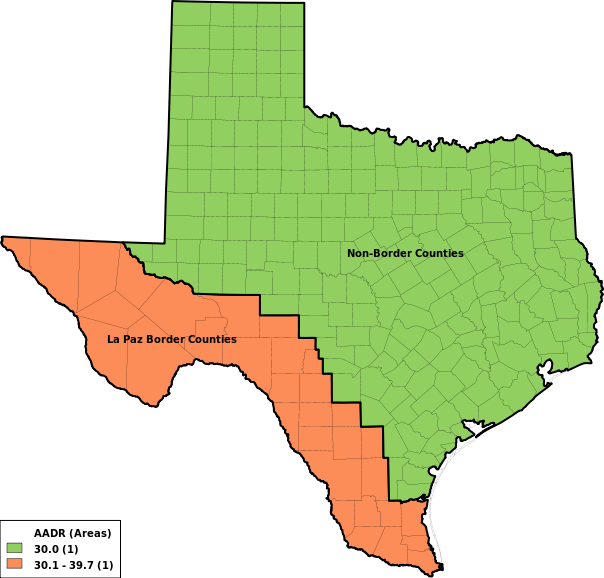
32 La Paz Border Counties:
Brewster, Brooks, Cameron, Crockett, Culberson, Dimmit, Duval, Edwards, El Paso, Frio, Hidalgo, Hudspeth, Jeff Davis, Jim Hogg, Kenedy, Kinney, La Salle, McMullen, Maverick, Pecos, Presidio, Real, Reeves, Starr, Sutton, Terrell, Uvalde, Val Verde, Webb, Willacy, Zapata, Zavala (This is the federal designation of the La Paz border region consisting of 32 counties either touching the US - Mexico border or touching a county on the border)
15 Immediate Border Counties:
Brewster, Cameron, El Paso, Hidalgo, Hudspeth, Jeff Davis, Kinney, Maverick, Presidio, Starr, Terrell, Val Verde, Webb, Willacy, Zapata (These are the 14 counties touching the border, plus Willacy)
Age Adjustment Standards
Age group
1940 US
1970 US
2000 US
Birth-11m
15,343
17,151
13,818
1-4
64,718
67,265
55,317
5-14
170,355
200,508
145,565
15-24
181,677
174,406
138,646
25-34
162,066
122,569
135,573
35-44
139,237
113,614
162,613
45-54
117,811
114,265
134,834
55-64
80,294
91,480
87,247
65-74
48,426
61,195
66,037
75-99+
20,073
37,547
60,350
Total
1,000,000
1,000,000
1,000,000
Statistical Methods
The "Main Statistic" (numerical outcome) is the basic type of number in a Vitalnet table. It is best understood by looking at the examples below.
Deaths
- The number of deaths. Vitalnet analyzes "underlying cause" mortality data. The "underlying cause" is "the disease or injury that initiated the train of events leading directly to death, or the circumstances of the accident or violence which produced the fatal injury". A single underlying cause is assigned to each death. A separate program, MultiCod, analyzes multiple cause mortality data. Also, Vitalnet uses "place of residence" mortality data. The "place of residence" is the location where the death occurred. The deaths are assigned to the usual county of residence of the deceased, without regard to the location where the death occurred.
Death Rate
- Deaths per 100,000 population. This rate may be used to compare the burden of disease between different groups.
Mean age of death
- Mean (average) age of deceased. A lower mean may indicates more premature mortality. However, a younger population will have a lower mean age of death, even if probabilities of death are the same in all age categories.
Age-Adjusted Rate
- The number of deaths per 100,000 population, adjusted to a standard population (such as US 1940), by the direct method. Age-adjusted rates are often better for making comparisons than crude rates, because they adjust for differences in age distribution between populations. An age-adjusted rate is a single summary measure. Be aware that it may mask trends detectable by examining age-specific rates. Age-adjusted rates are synthetic rates that are only useful in comparison with other age-adjusted rates. Age-adjusted rates are used to compare one area or population to another because age distribution is controlled for in the calculations. Age-adjusted rates are not typically calculated for individual age ranges, such as 40-49, and Vitalnet does not do so.
Standardized Mortality Ratio (SMR)
- The ratio of the number of observed deaths to the number that were expected. Also called indirect adjustment. An SMR greater than 1 indicates more events were observed than expected. The number expected is derived by applying age-specific standard rates for a general population (Texas) to the population in the area under study. The standard rates can include all races, or only the races being studied in the smaller area (race-specific). Similarly, the standard rates can include both male and female, or only the sex being studied in the smaller area (sex-specific). A standardized mortality ratio is a single summary measure. It may mask trends detectable by examining age-specific rates. Standardized mortality ratios are not usually calculated for individual age ranges, such as 40-49, and Vitalnet does not calculate such rates.
Years of Potential Life Lost (YPLL)
- The sum of the years of life lost by persons who suffered early deaths, used to measure premature mortality. Early death is usually defined as death occurring before the age of 65 (the YPLL age limit). For example, death at age 40 (40.5) results in 24.5 YPLL to age 65.
YPLL Rate
- YPLL per 100,000 population in the appropriate age category. For example, the YPLL rate to age 65 is calculated as follows: (YPLL to age 65) / (population for age group 0-64). YPLL rate is seldom used.
Age-Adjusted Rate Methodology
- 1) Determine age-specific rates in the Study population. (Set age-specific rate to zero if age-specific population is zero.) 2) Multiply age-specific rates by Standard age-specific populations, such as 1940 US. 3) Sum the results from the previous step. 4) Divide the sum by the total size of the Standard population.
SMR Methodology
- 1) Determine the age-specific death rate for each age group in the Standard (State) population. The age-specific rates may be based on all races combined, or just on the races that are selected (race-specific). 2) For each age group, multiply the age-specific rate by the number of people in that group in the Study population. 3) Sum the results from the previous step. This is the expected number of deaths. 4) Divide the actual number of deaths observed by the number expected (SMR = observed / expected). For example, if 10 deaths were expected in a county (based on the State rate), and 20 occurred, the SMR is 2.
YPLL Methodology
- 1) For each death, calculate the difference between the age at death and age 65 (or other chosen limit). For example, death at age 40 (40.5) results in 24.5 YPLL to age 65. 2) Sum the results of the previous step.
Confidence Intervals
Definition
- A "confidence interval" is a range of values within which the true value of a variable is thought to lie, at a certain "confidence level", such as 95%. A larger percentage (such as 99%) is more stringent than a smaller percentage (such as 80%). Use 95% if you are unsure.
Interpretation
- The smaller the interval, the more reliable the result. Two results that overlap at the 95% level are less likely to be significantly different than results which don't overlap.
Methods
- The method Vitalnet uses to calculate confidence intervals depends on the context. The method is listed in the footnotes to the table.
Z * Rate / Sqrt (Events)
- This method is recommended by the NCHS. Technical Appendix of the Vital Statistics of the United States, Vol II, Mortality, Part A
Rothman and Boice
- This method is for SMRs. Rothman KJ and Boice JD (1979): Epidemiologic analysis with a programmable calculator. NIH Publication No. 79-1649, Washington, DC: U.S Department of Health.
Poisson distribution
- This method is valid if events are relatively rare, which usually applies to health events. Scientific Tables, Diem and Lentner (ed), Giegy, 1970, page 189.
95% Poisson Confidence Limits
Events
Lo Factor
Hi Factor
Events
Lo Factor
Hi Factor
Events
Lo Factor
Hi Factor
1
0.025318
5.571647
70
0.779549
1.263440
4,000
0.969250
1.031230
2
0.121104
3.612346
80
0.792938
1.244587
5,000
0.972473
1.027911
3
0.206224
2.922426
90
0.804118
1.229170
6,000
0.974857
1.025464
4
0.272466
2.560398
100
0.813640
1.216268
7,000
0.976711
1.023564
5
0.324697
2.333667
200
0.866209
1.143395
8,000
0.978207
1.022034
6
0.366982
2.176580
300
0.890041
1.116362
9,000
0.979446
1.020767
7
0.402052
2.060382
400
0.904401
1.100401
10,000
0.980496
1.019696
8
0.431729
1.970399
500
0.914267
1.089575
20,000
0.986189
1.013907
9
0.457263
1.898312
600
0.921584
1.081617
30,000
0.988716
1.011348
10
0.479539
1.839036
700
0.927291
1.075453
40,000
0.990224
1.009824
20
0.610826
1.544419
800
0.931904
1.070497
50,000
0.991254
1.008785
30
0.674696
1.427562
900
0.935734
1.066400
60,000
0.992014
1.008018
40
0.714415
1.361716
1,000
0.938980
1.062941
70,000
0.992606
1.007422
50
0.742219
1.318376
2,000
0.956653
1.044307
80,000
0.993082
1.006942
60
0.763105
1.287198
3,000
0.964536
1.036105
90,000
0.993477
1.006544
Data Sources and Limitations
VitalWeb Wizard uses data from authoritative sources.
Mortality data
- All Texas mortality data were provided by the Bureau of Vital Statistics, Texas Department of Health.
Population data
- Pre-1990 population data are from the Center for Health Statistics, Texas Department of Health. Population data for 1990 and subsequent years are from the State Population Center at Texas A&M.
Links to Related Resources
Internet resources related to ICD-10 Underlying Cause Deaths:
Bureau of Vital Statistics
- Texas Department of State Health Services
Center for Health Statistics
- Texas Department of State Health Services
Whom to Contact
For additional assistance with analyzing and interpreting the data, contact:
Mortality data -
Bureau of Vital Statistics
- 512-458-7509
Mortality data -
Center for Health Statistics
- 512-458-7261
Population data -
Center for Health Statistics
- 512-458-7261
Legal Information
"Discover the future of health data", "We care about your health data", Birtha, Epidemic, Epigram, Medtrend, Multicod, Oncogram, Poptrend, Pregdata, Vitalnet, VitalWeb, VitalPro, VitalPro for DOS, VitalPro for Unix, VitalPro for Windows, VitalWeb Standard, and VitalWeb Wizard are trademarks of Expert Health Data Programming, Inc. (EHDP). VITALNET and VITALWEB are registered trademarks.
More information
Vitalnet uses
GD
and
Ploticus
, under the terms of the copyright owners.
Copyright 1999-2010 -
Expert Health Data Programming, Inc;
- All rights reserved.
Documentation produced: "Mar 1 2012" -
Contact EHDP